Effective dispute monitoring is essential to ensure disputes are resolved as quickly as possible and limit their impact on cash collection. Clearnox lets you easily identify clients and invoices in dispute and monitor their progress through to closure.
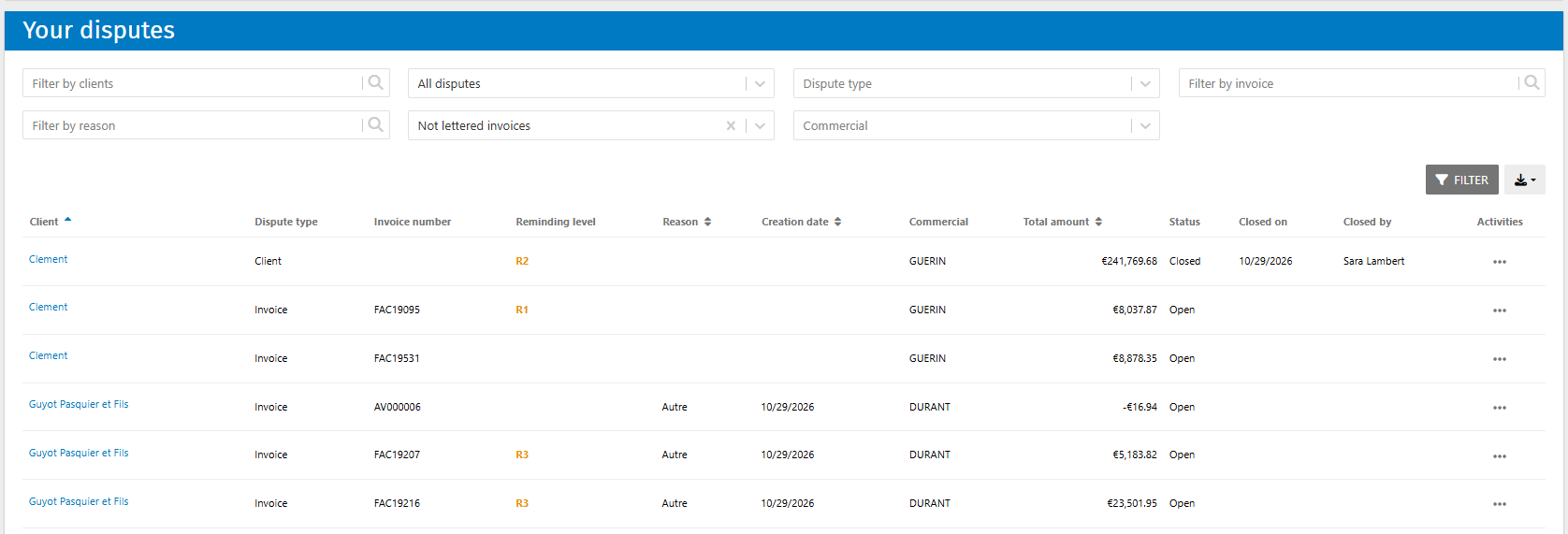
The “Monitor > Disputes” page brings together all client and invoice disputes to provide an overview of their progress, make them easier to monitor and quickly identify cases that require action.
Prioritizing the handling of your disputes
The available filters help you quickly find disputes that need your attention. Filter cases by client, dispute type, portfolio, document or reason to focus your analysis on the most relevant situations.
You can also sort the columns by various criteria to help identify priority cases, analyze disputes by reason or group disputes relating to the same client.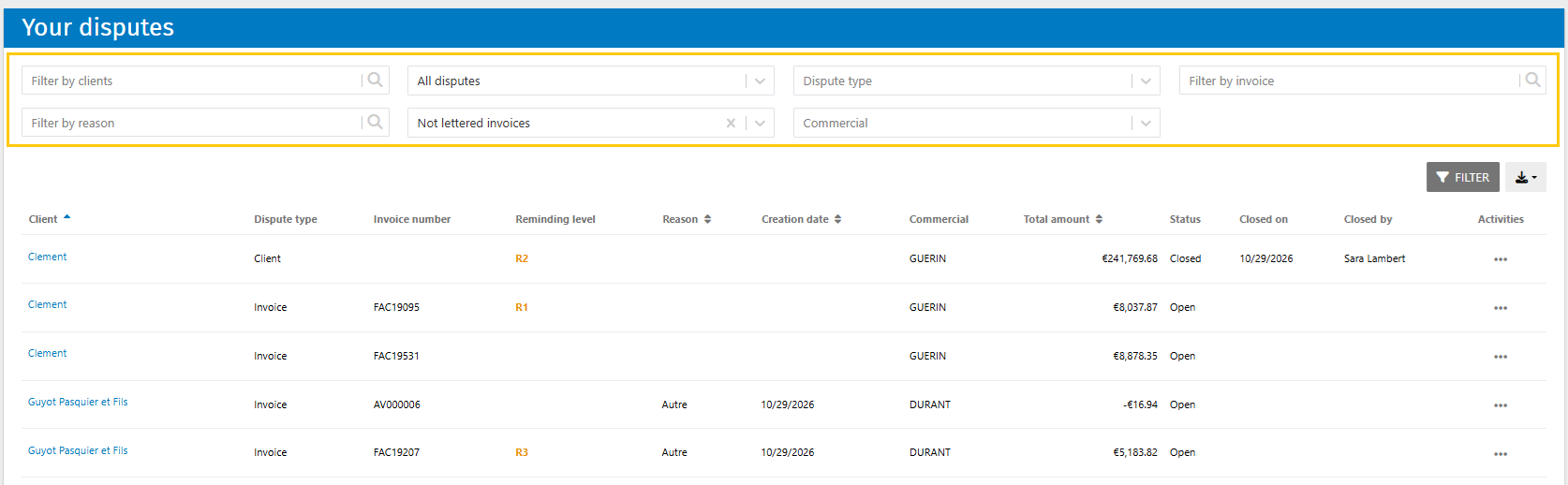
Finding your disputes across Clearnox screens
Disputes are visible across the different monitoring screens in Clearnox, making them easier to identify and take into account throughout the collection process.
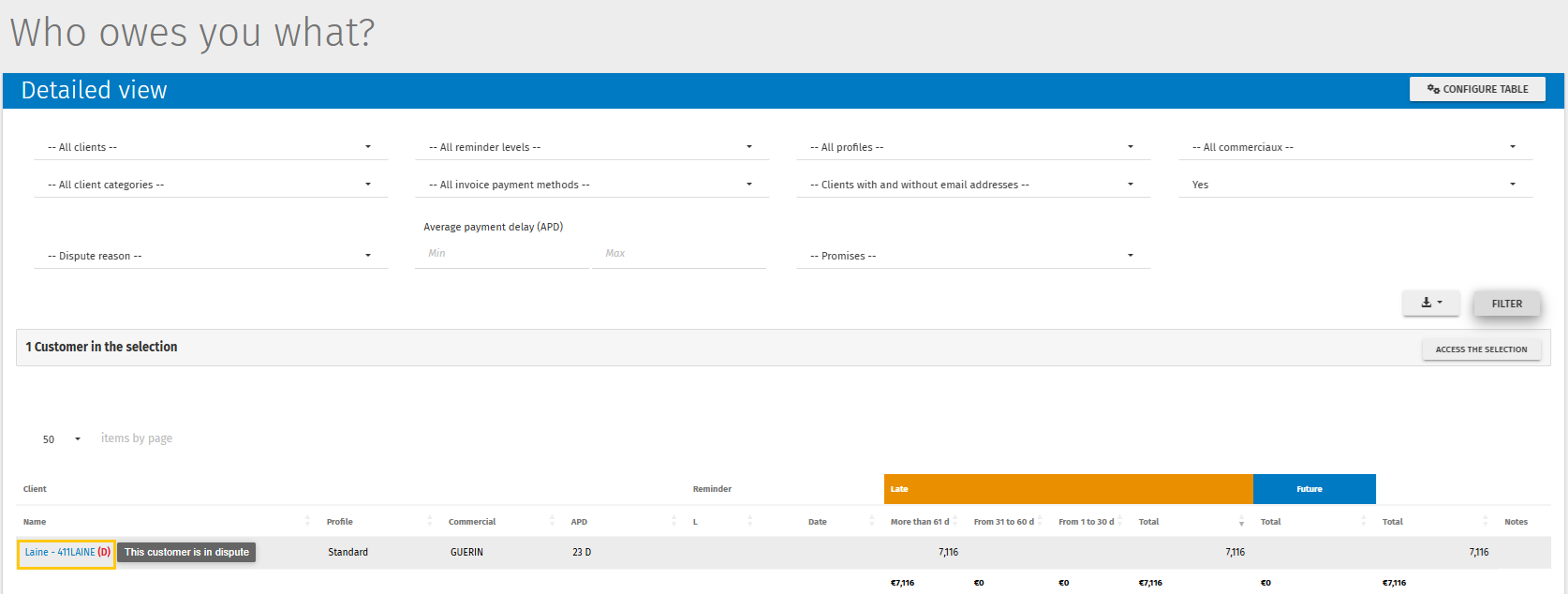
On the “Monitor > Who owes you what?” page, clients in dispute are easily identified by the “D” indicator. Dedicated filters also help you quickly find the relevant cases or analyze them by dispute reason.
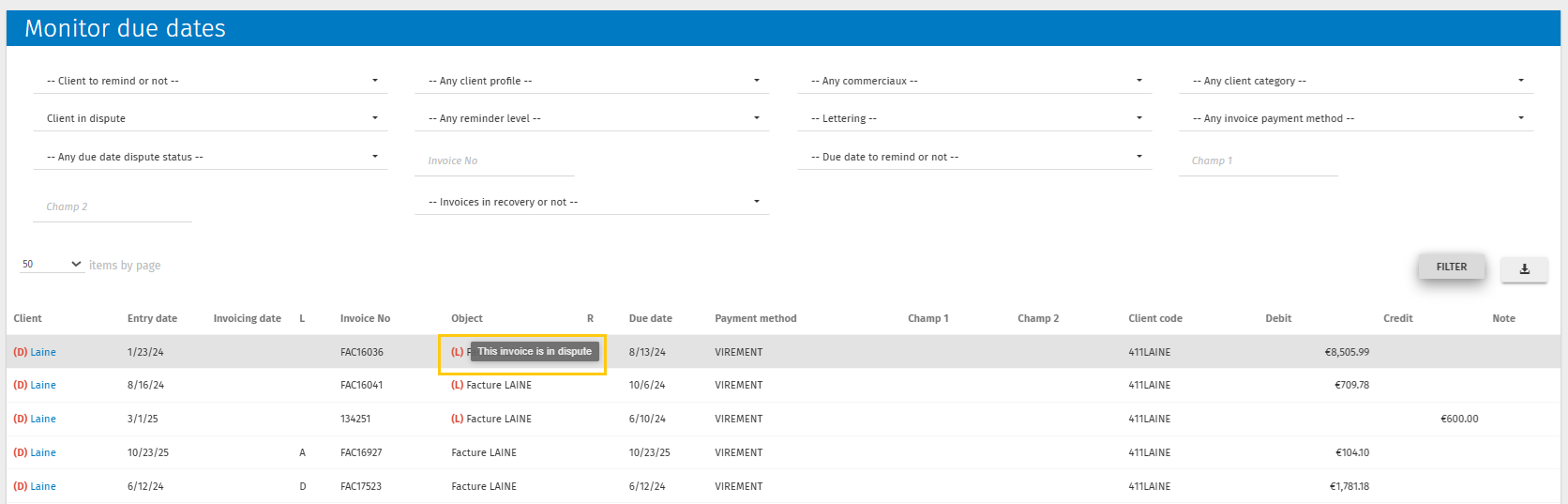
Similarly, on the “Monitor > Due dates” page, invoices in dispute are marked with the “D” indicator and can be quickly found using the dedicated dispute filter.
Was this article helpful?
That’s Great!
Thank you for your feedback
Sorry! We couldn't be helpful
Thank you for your feedback
Feedback sent
We appreciate your effort and will try to fix the article