You want to exclude a customer from bulk reminders, and there are several options to do so:
1. Customers with a client profile not linked to a reminder scenario: you can identify these customers from the client record. They will have the message "None of the configured scenarios are applicable to this customer".

2. Customers stopped for reminders: you can use the "STOP" button on the client record to indicate that this customer should not be included in scenarios.
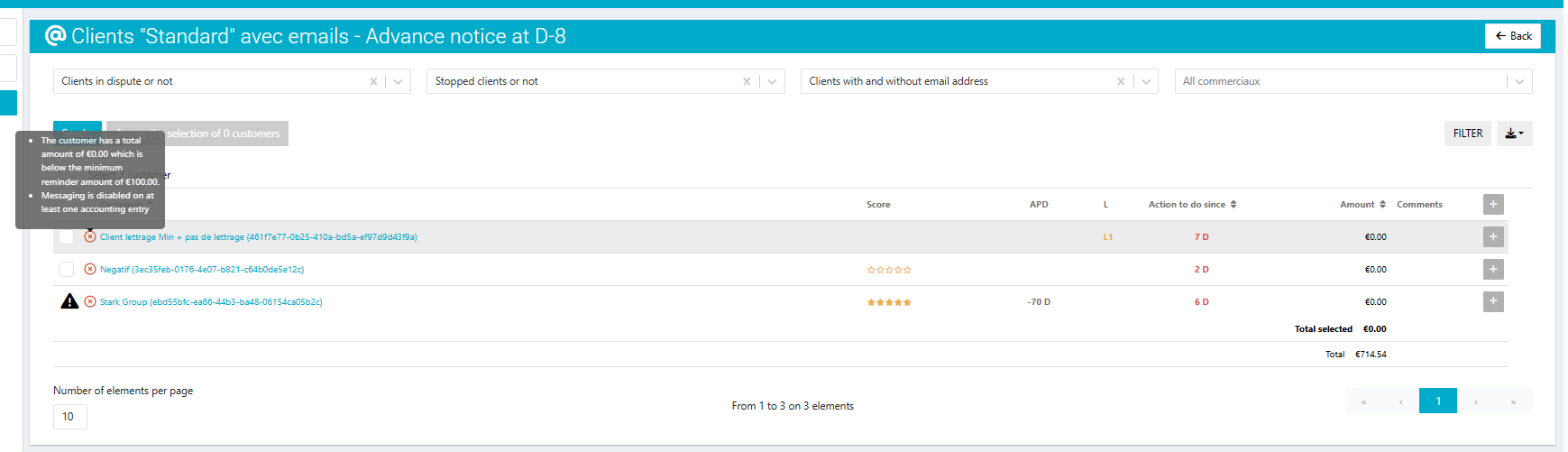
As a result, this customer will be unchecked in the task list of the reminder scenario. An (x) icon will appear next to the name of the relevant customer.

3. Customers whose total reminder amount is below the minimum or above the maximum threshold: as the account administrator, you can configure the minimum and maximum total amounts to trigger a reminder. This avoids sending reminders for customers with amounts that are too small to justify action or too large and require pre-approval by other teams before sending the reminder.
This option, "Reminder Threshold and Ceiling for Total Amount," is available in the Configure > Advanced Options menu.
Affected customers are automatically unchecked in the reminder task list. An (x) icon will appear next to the name of the relevant customer.

4. Creditor clients : when the balance of certain clients is negative, they are automatically excluded from the reminder process, unless the 'Exclude creditor clients' option is enabled in the Configure > Reminder page.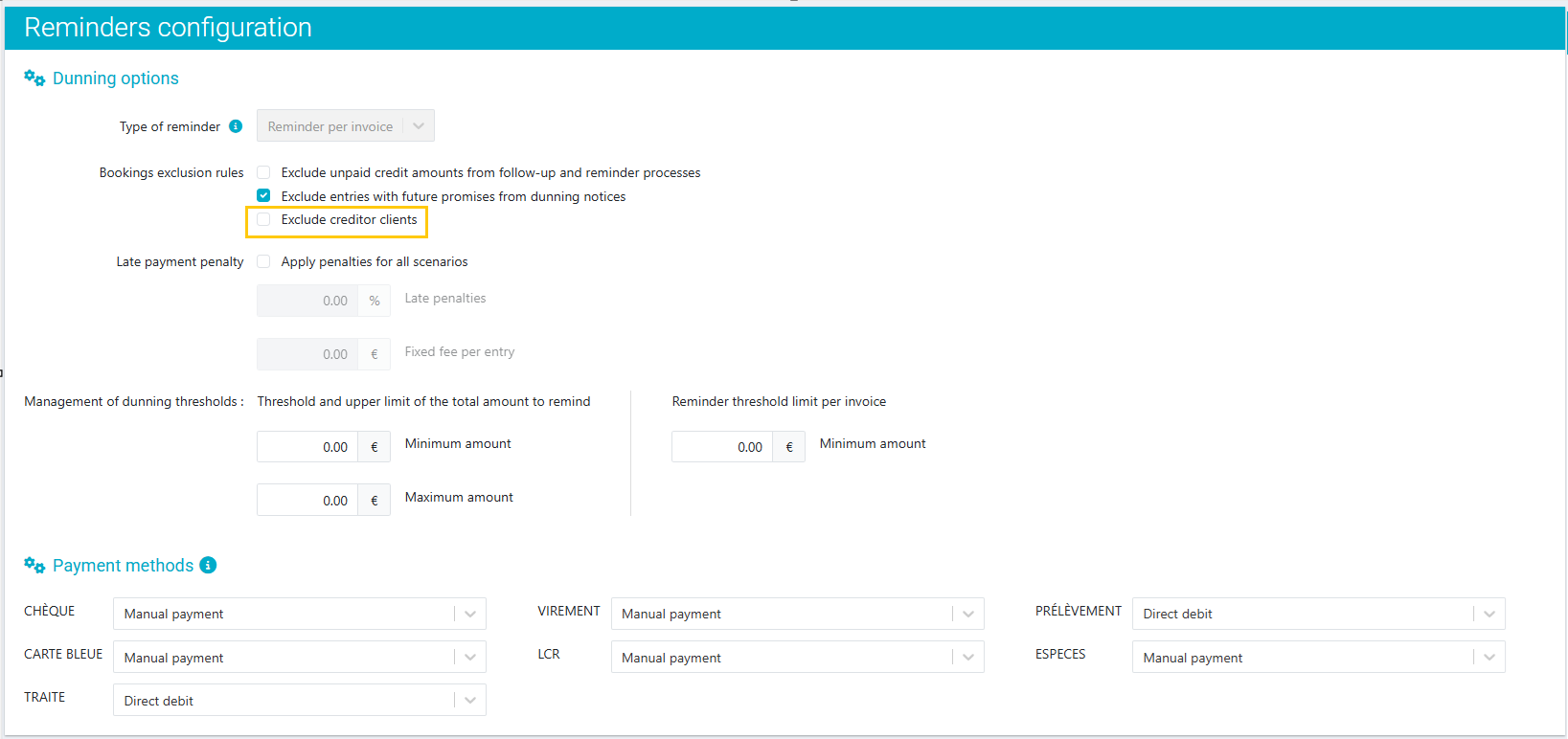
In this case, these creditor clients will appear in the Take action> By scenario and Take action > By criteria pages; however, they are unchecked by default. You simply need to check the entries to be reminded in order to include them in the reminder process.
To learn how to exclude invoices from your bulk reminders, visit this article.
Was this article helpful?
That’s Great!
Thank you for your feedback
Sorry! We couldn't be helpful
Thank you for your feedback
Feedback sent
We appreciate your effort and will try to fix the article