Some debt collection situations require more than standard reminders by email or phone. When an invoice remains unpaid despite several reminders, you may need to formalise your communications and obtain proof that the message was sent and received.
Clearnox’s AR24 service lets you send Electronic Registered Delivery (ERE) directly from the client page. ERE provides time-stamped proof of deposit and receipt and certifies the contents of the letter, while offering recipients a simple, seamless way to receive it. It is generally less expensive than registered mail sent by post.
Clearnox does not charge any additional fees for this service. Mailings sent through this channel are deducted directly from your AR24 subscription.
Clearnox offers ERE through AR24 to provide recipients with a simple process while ensuring that the mailing and receipt can be tracked. If regulations or your contract specifically require a qualified electronic registered delivery service (LRE), check that the service you use meets the applicable requirements.To use this service, link your existing AR24 account to Clearnox or create a new one.
How do you link your AR24 account to Clearnox?
As an administrator of your Clearnox account, go to Services > Electronic Mail – AR24, then follow the steps for your situation:
You do not have an AR24 account yet?
On the AR24 service page in Clearnox, choose the option to create an AR24 account.
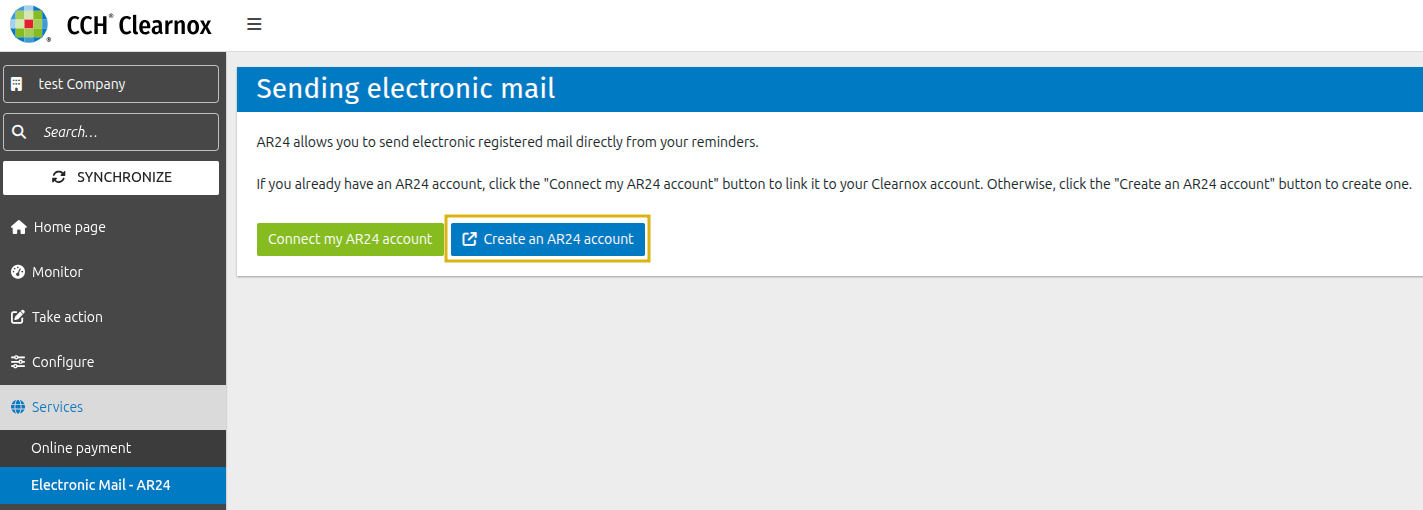
Follow the registration steps provided by AR24 and enter the information required to create your account.
Once your account has been created, add a payment method from your AR24 profile. If a red message tells you that you need to set up a payment method, follow the link provided to go to the relevant page in your profile.
Otherwise, go to your profile > Billing > Add a payment method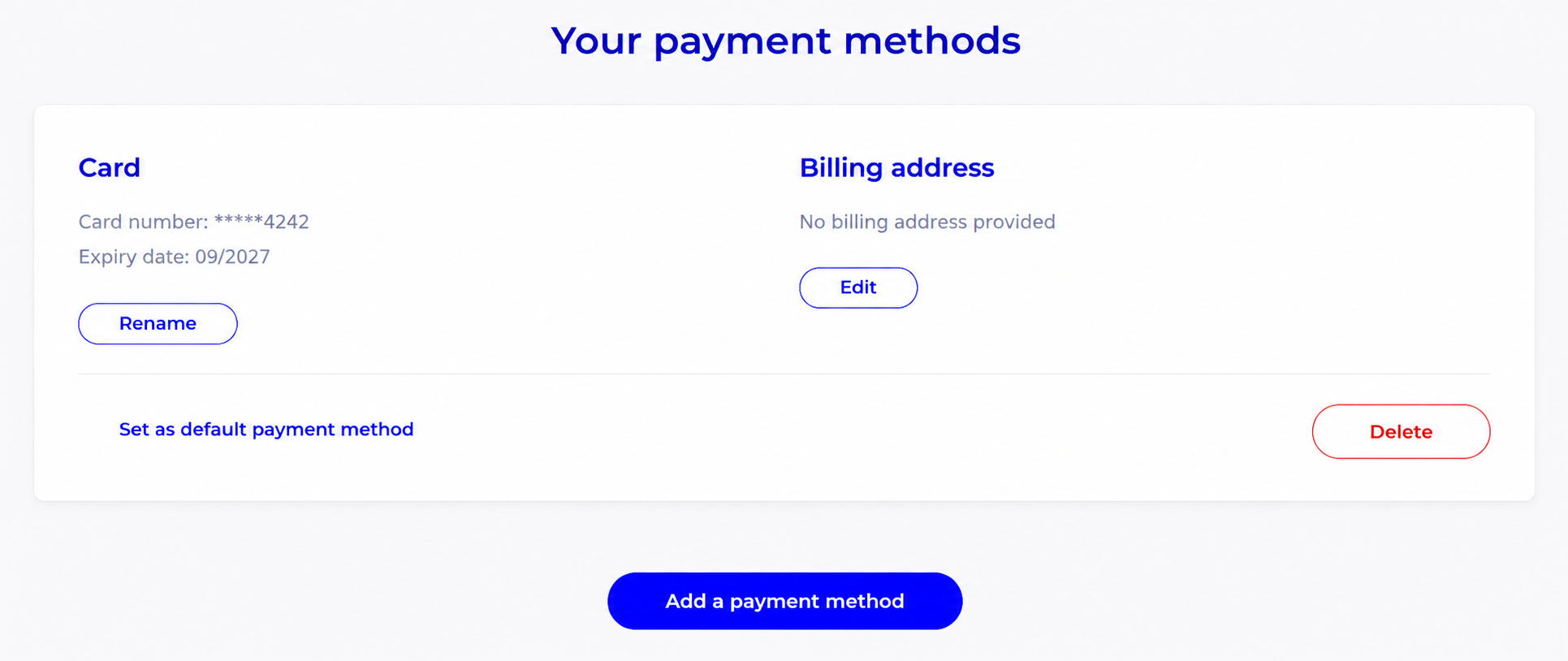
Good to know: If you have linked your AR24 account to Clearnox, the mailing status will show as disabled until a payment method has been set up in your AR24 account.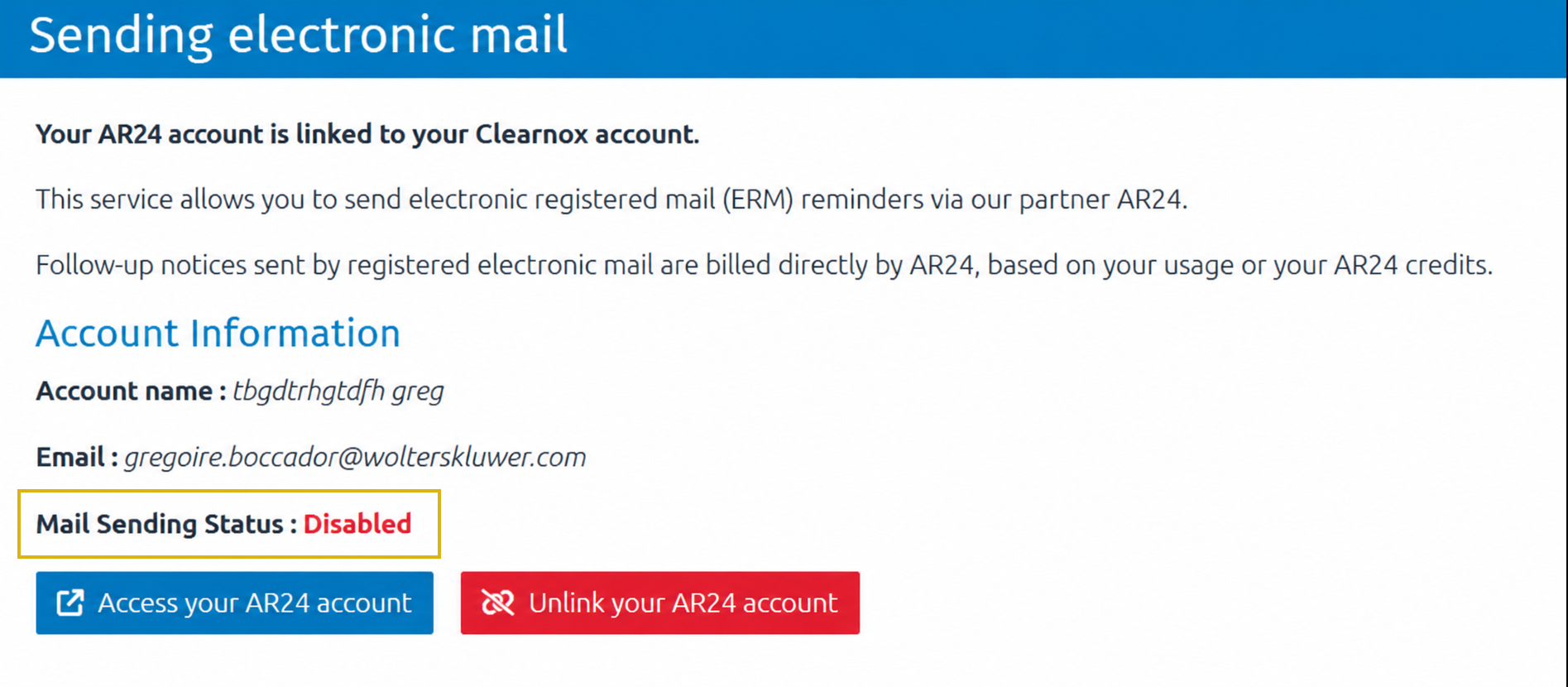
Your AR24 account has now been created. Link it to your Clearnox account by following the steps below.
You already have an AR24 account?
On the Services > Electronic Mail – AR24 page, choose the option to link your AR24 account. Enter the email address associated with your AR24 account, then confirm.
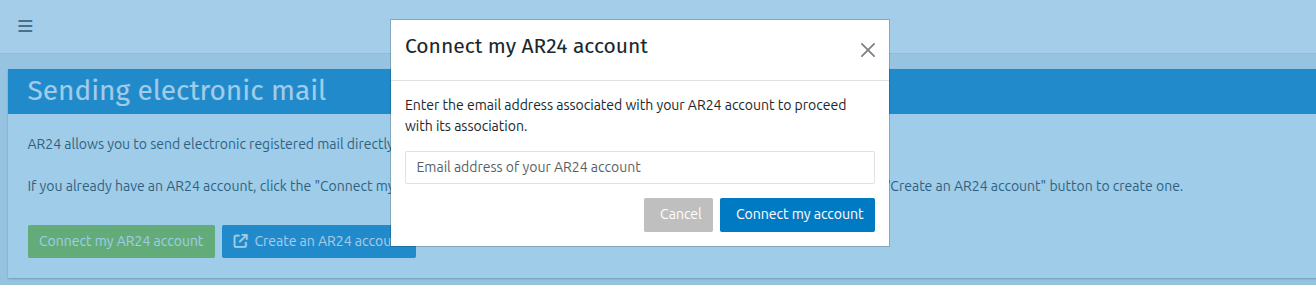
You will be redirected to AR24. Sign in and, if necessary, follow the steps to secure your account. If AR24 provides recovery codes, keep them somewhere safe.
On the Link your AR24 account page, check that the correct account is shown, then select “Authorise access to my account for Clearnox”.
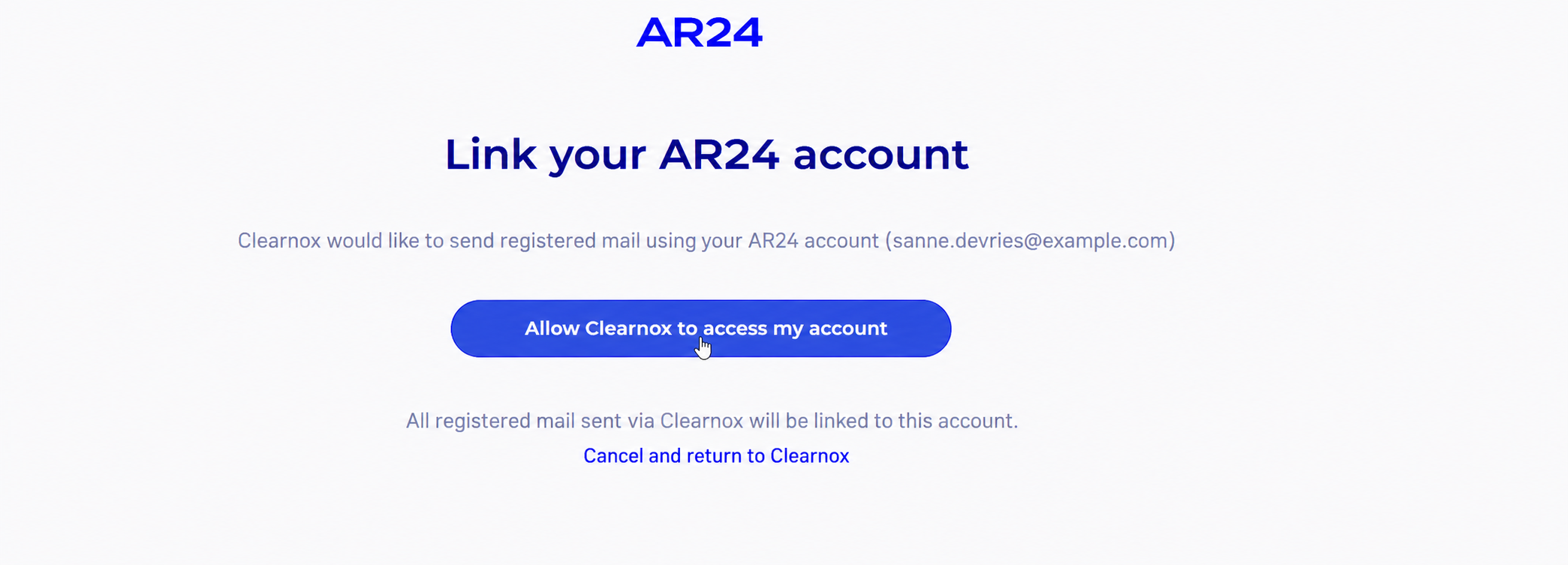
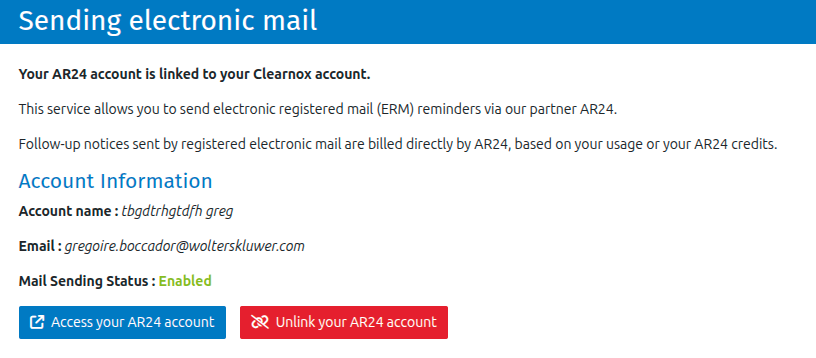
AR24 confirms the link and redirects you to Clearnox. The service page then displays your AR24 account information and the mailing status.
Would you like to link the same AR24 account to several Clearnox companies?
First, link your AR24 account to one of your Clearnox companies by following the steps above. Once this first link has been completed, contact Clearnox Support to request that the same AR24 account be linked to your other companies.
In your request, include the email address of your AR24 account and the name of each additional Clearnox company to link.
Was this article helpful?
That’s Great!
Thank you for your feedback
Sorry! We couldn't be helpful
Thank you for your feedback
Feedback sent
We appreciate your effort and will try to fix the article